The platform

Everything you need to test, prove, and certify.

CandidatesPrep brings the whole exam lifecycle into one white-label platform: author the questions, deliver the course, proctor the sitting, verify the candidate, grade, certify, and report. Here is what is inside.

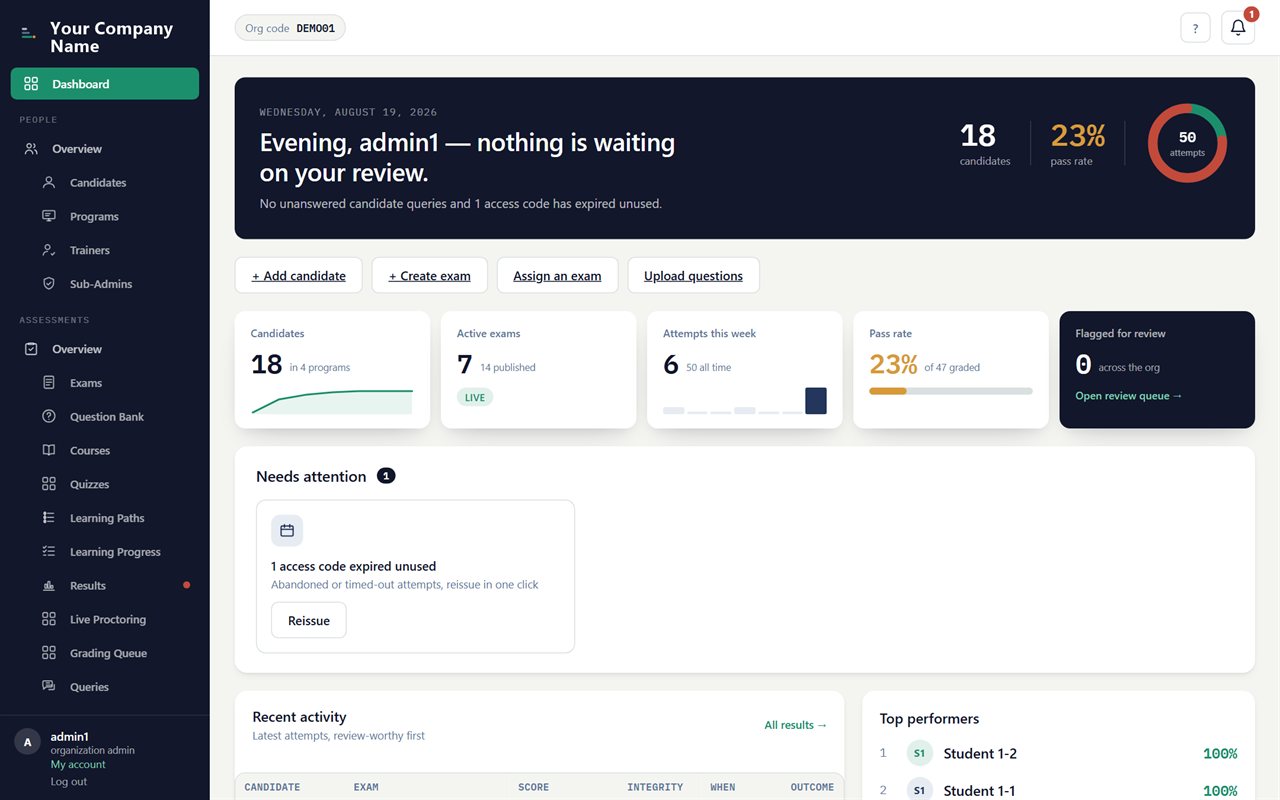
The CandidatesPrep admin dashboard: active exams, candidates, pass rate and open proctoring flags at a glance.
One workspace

Every course and exam, in one command center

Authoring, delivery, proctoring, certificates and reporting live under a single login, and each organization is isolated in its own branded space. There is no stitched-together stack of separate tools to keep in sync.

  • A live dashboard of active exams, candidates and flags
  • Strict separation, so one organization never sees another's data
  • Role-based access for admins, sub-admins and trainers
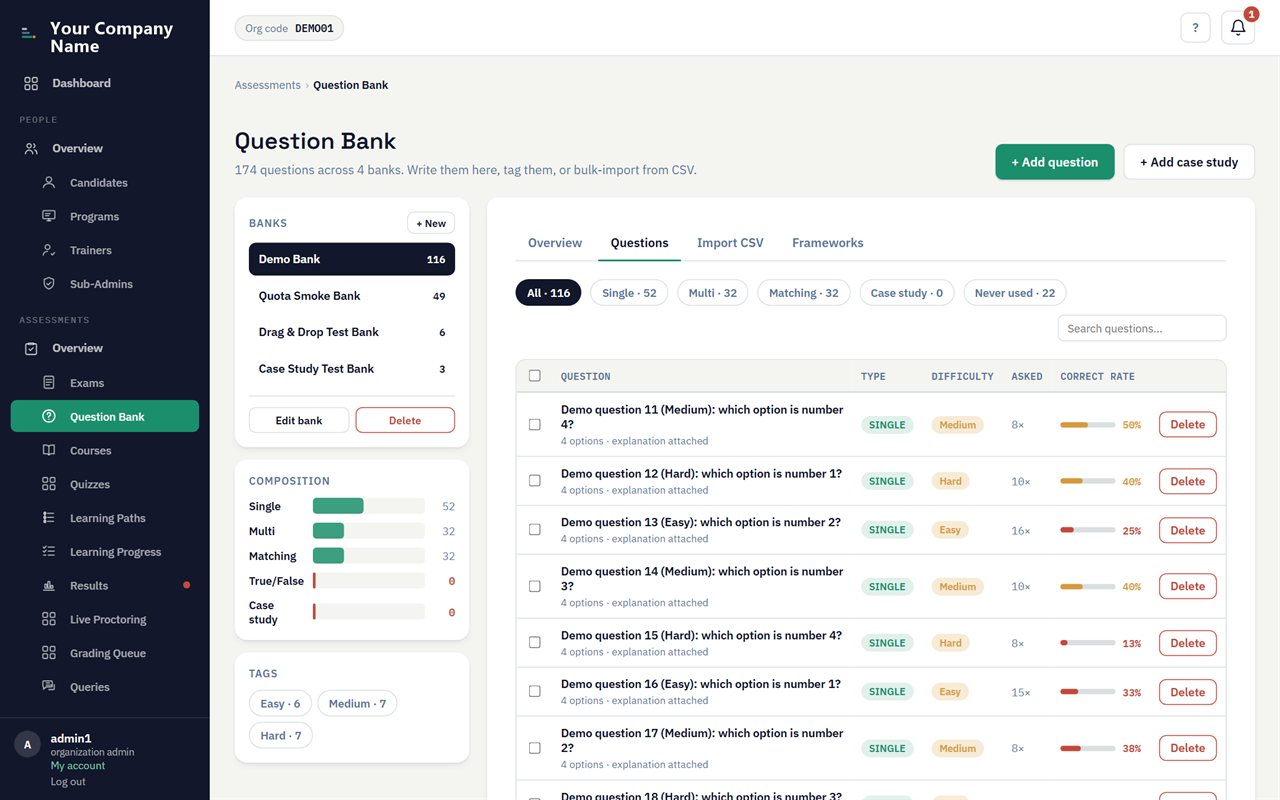
The question bank: items tagged by topic and difficulty, with versioning and bulk import.
Author

A question bank that stays yours

Build your questions once and deliver them inside the exam, never as a file that can leak. Tag them, version them, and reuse them across every exam you run.

  • Many item types, from multiple choice to hotspot and case study
  • Tag by topic and difficulty, with bulk import from a spreadsheet
  • Version history and an approval workflow on every question
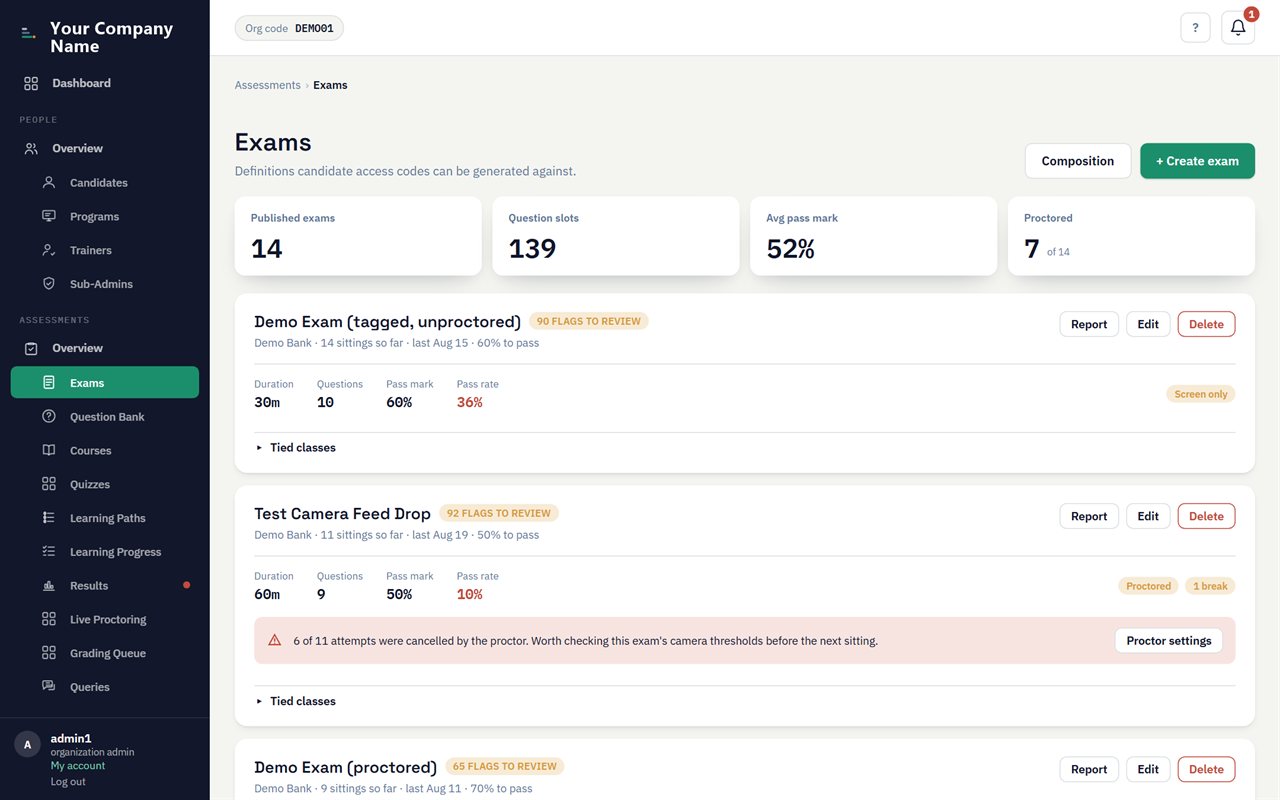
The exam builder: durations, pass marks, breaks and blueprint weighting.
Assemble

Exams built to a blueprint

Assemble papers weighted to the official syllabus, with durations, breaks, pass marks and scheduling, then draw a distinct paper for every candidate.

  • Blueprint weighting that mirrors the real certification
  • Randomized per candidate, so no two papers match
  • Single-use access codes, released now or on a schedule
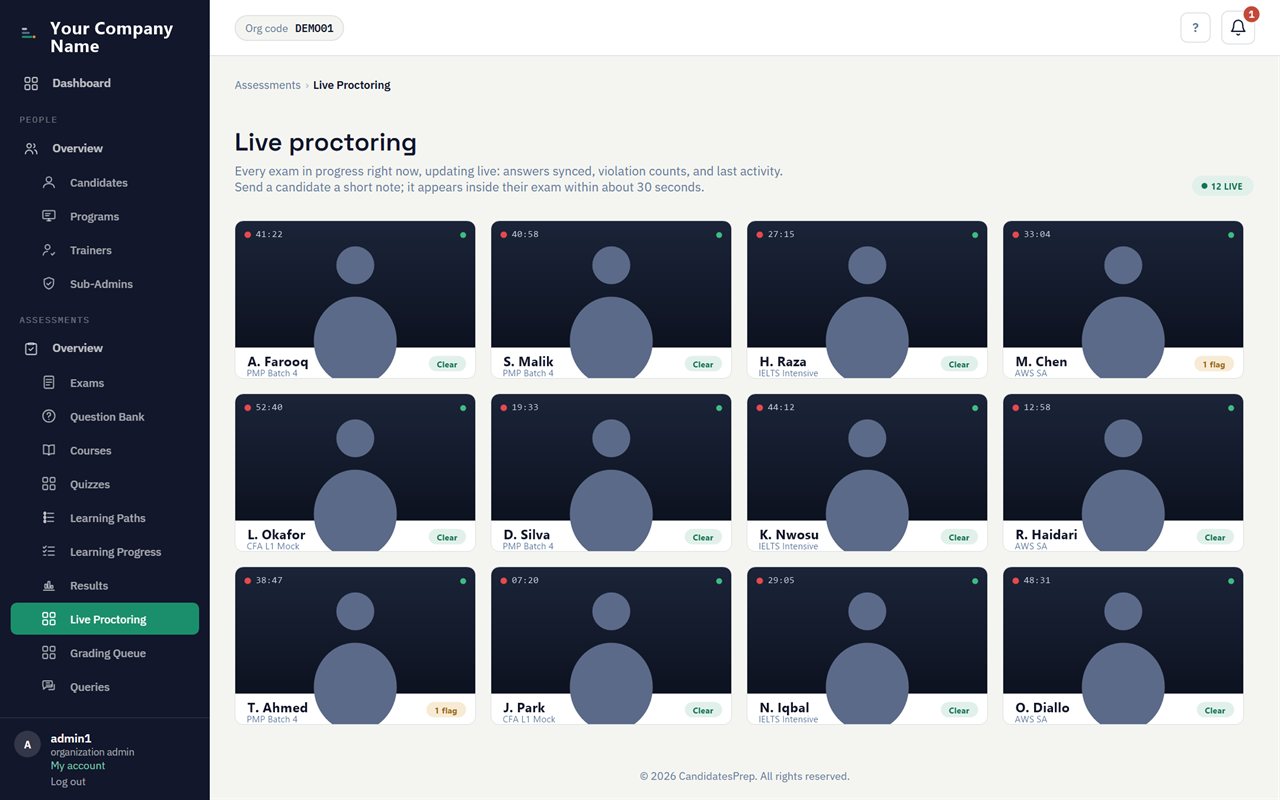
The live proctoring console: a video wall of candidates in session with integrity flags.
Proctor

Live and AI proctoring, without the privacy cost

Supervise a remote exam the way an invigilator supervises a room. The computer vision runs in the candidate's own browser, so no live video feed is shipped off to be analyzed.

  • Watch many candidates at once on a live video wall
  • Detects phones, second people, extra cameras and tab-switching
  • Message, pause or cancel any attempt in real time
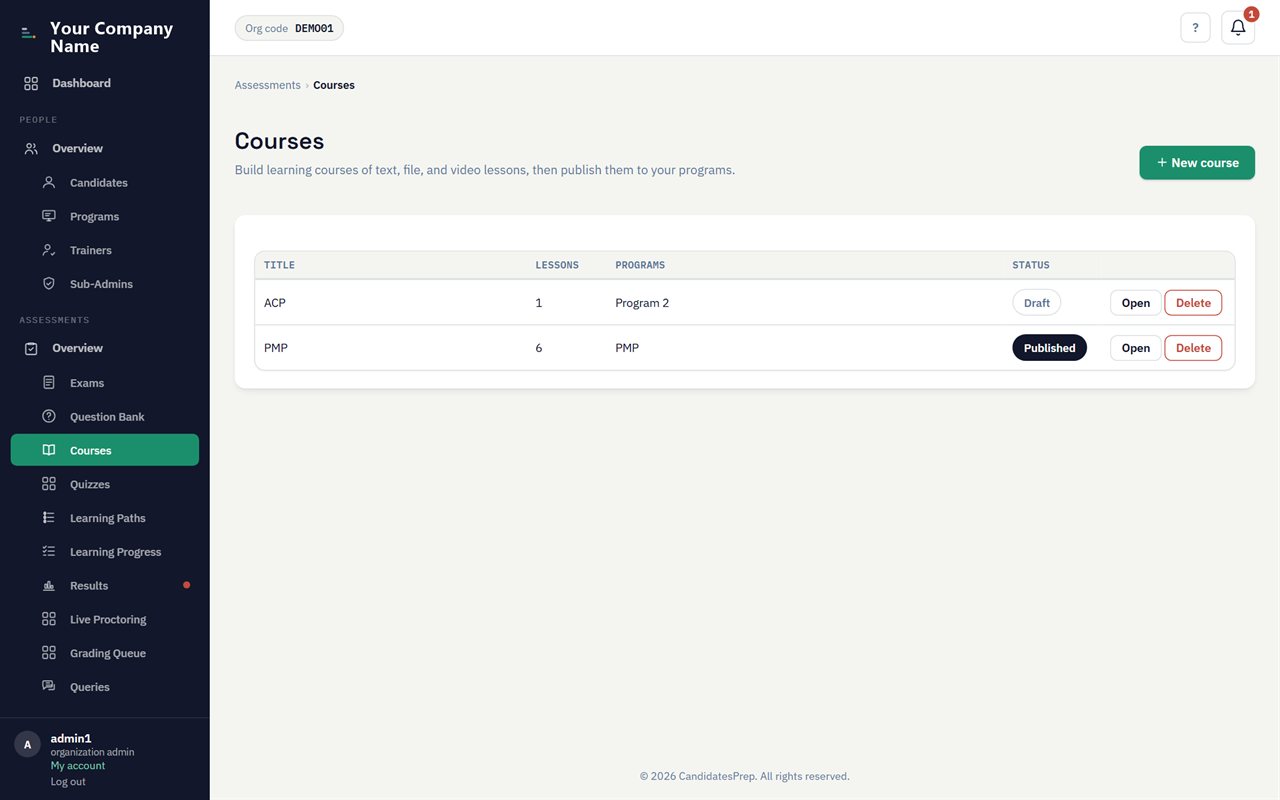
The course library: video lessons, embedded quizzes and learning paths.
Teach

Courses and learning paths, alongside the exam

Deliver the preparation and the test on one platform: video lessons, embedded quizzes, and ordered learning paths that unlock step by step.

  • Lessons in video, text, files, quizzes and SCORM
  • Learning paths that sequence courses and exams
  • Streaming video with the learner's name burned in to trace leaks
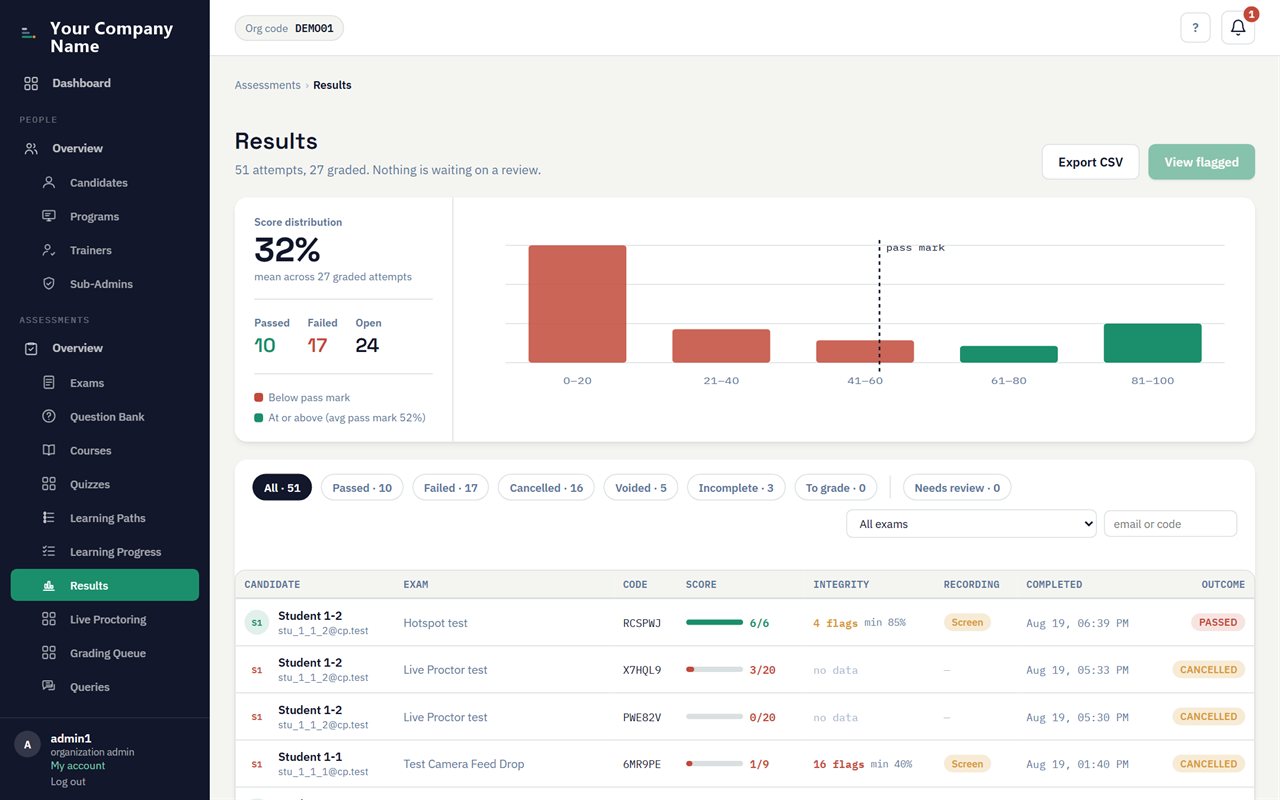
The results view: scores, pass or fail, and per-question answer review.
Grade

Instant grading, human where it matters

Objective questions are marked the moment a candidate submits, while written answers route to a trainer with assisted suggestions. Every result breaks down by topic.

  • Automatic scoring with part-marks
  • A grading queue with assisted suggestions for written answers
  • Per-topic mastery and secure post-exam answer review
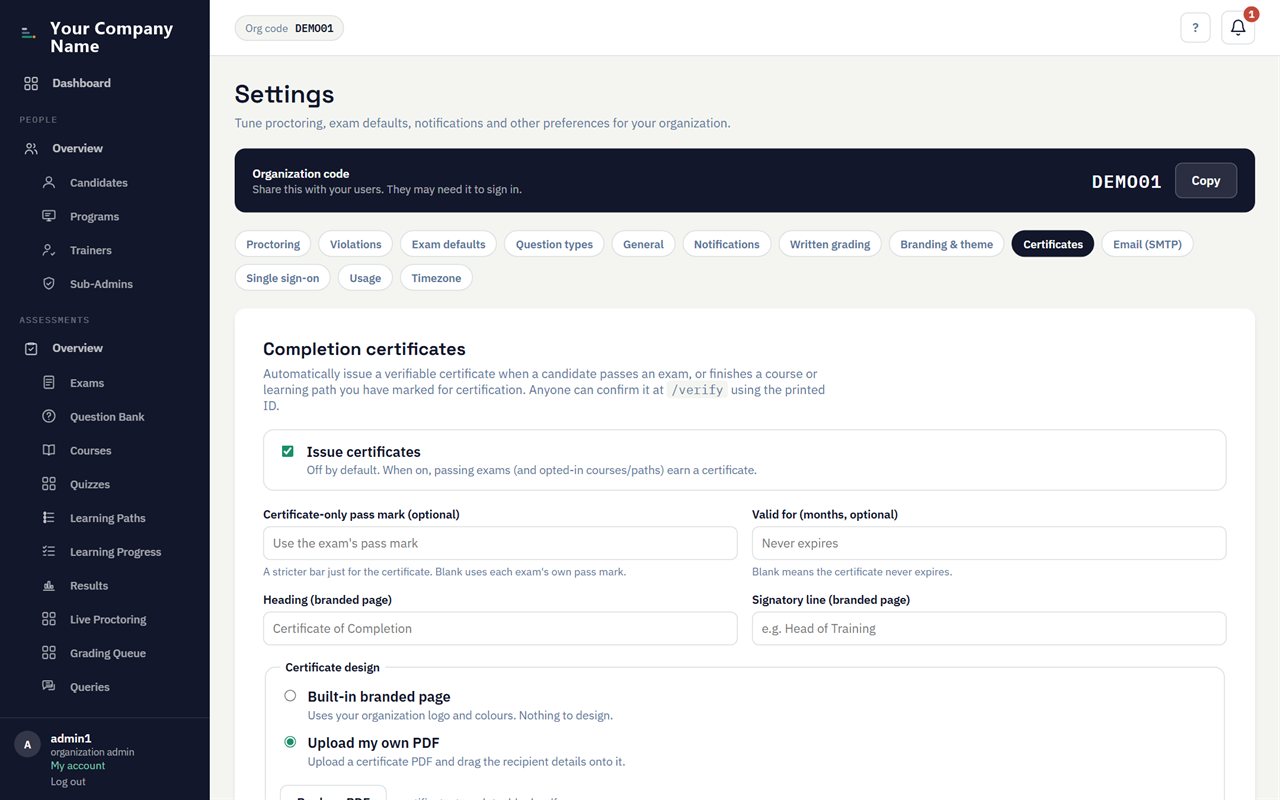
The certificate designer: an uploaded template with fields placed on it.
Certify

Branded certificates, verifiable by anyone

Issue a credential the moment a candidate passes, styled in your brand or on your own uploaded template, each one verifiable at a public link.

  • Auto-issued on passing an exam or completing a course
  • Upload your own PDF template and place fields with a drag editor
  • A public verification page confirms authenticity by code
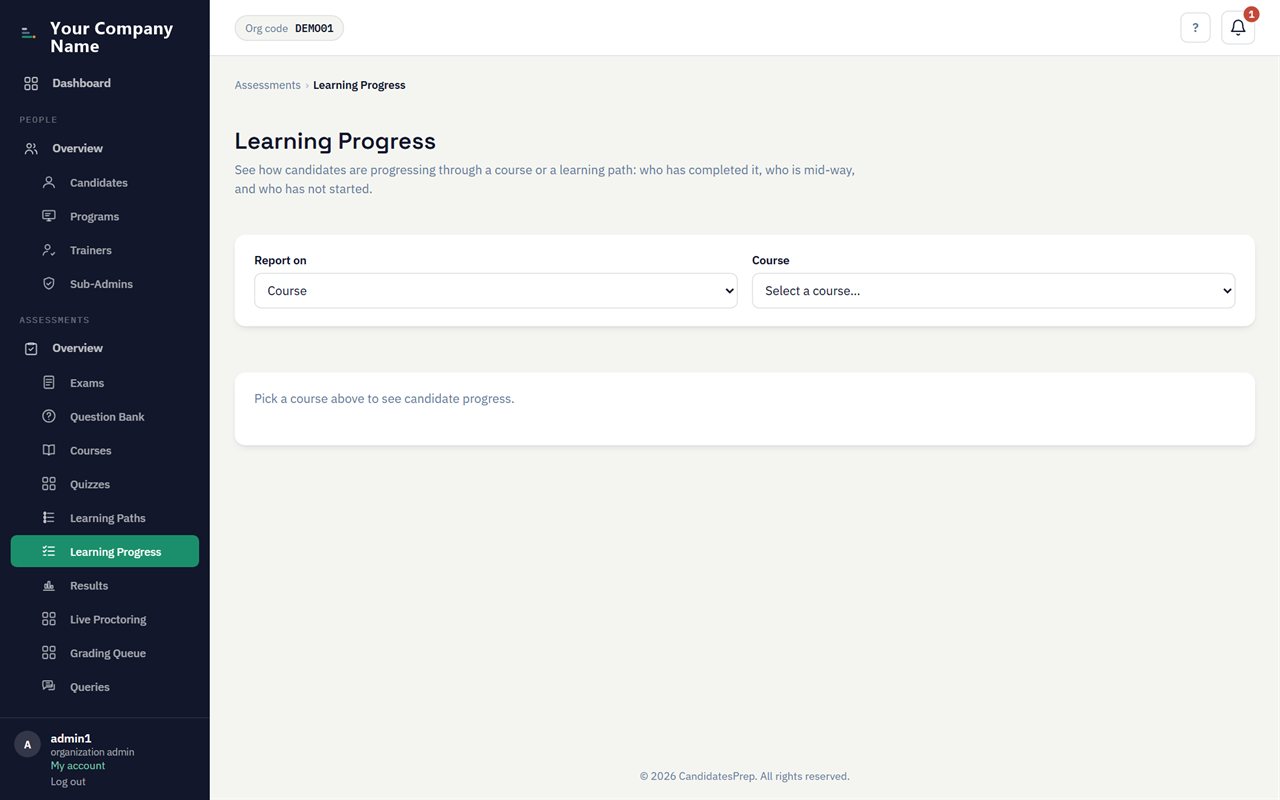
Learning and exam analytics: completion, pass rates and per-topic performance.
Report

The evidence behind every result

Turn sittings into insight and proof: dashboards, question-quality analysis, transcripts, and scheduled reports that email themselves to whoever needs them.

  • Breakdowns by exam, trainer, program and topic
  • Item analysis that shows how each question performs
  • Recurring reports emailed on a schedule, exportable to spreadsheet
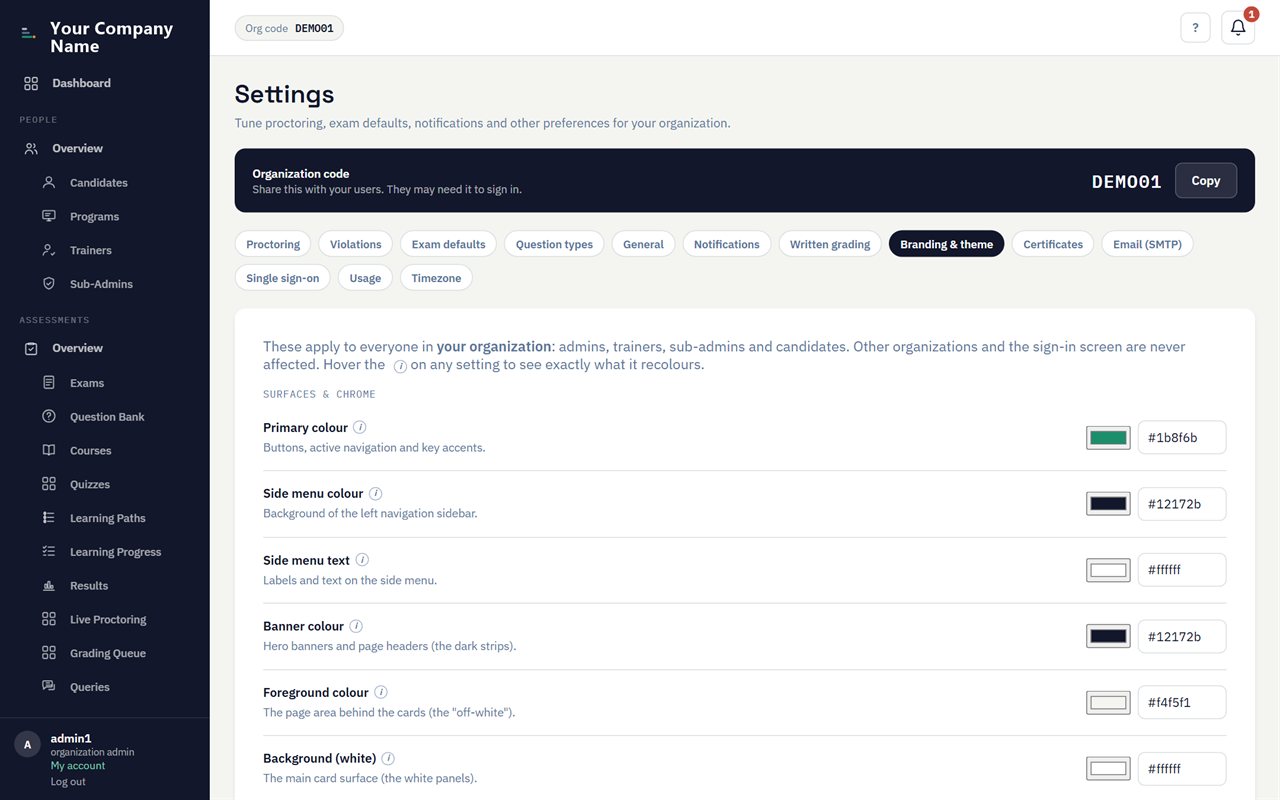
Branding settings: logo and colour tokens applied across the platform.
White-label

It looks like your platform, not ours

Your logo, colours, domain and certificate seal, applied across staff and student screens alike. Candidates never leave your brand.

  • Your logo and full colour scheme on every screen
  • Your own domain and certificate branding
  • A consistent, professional experience end to end
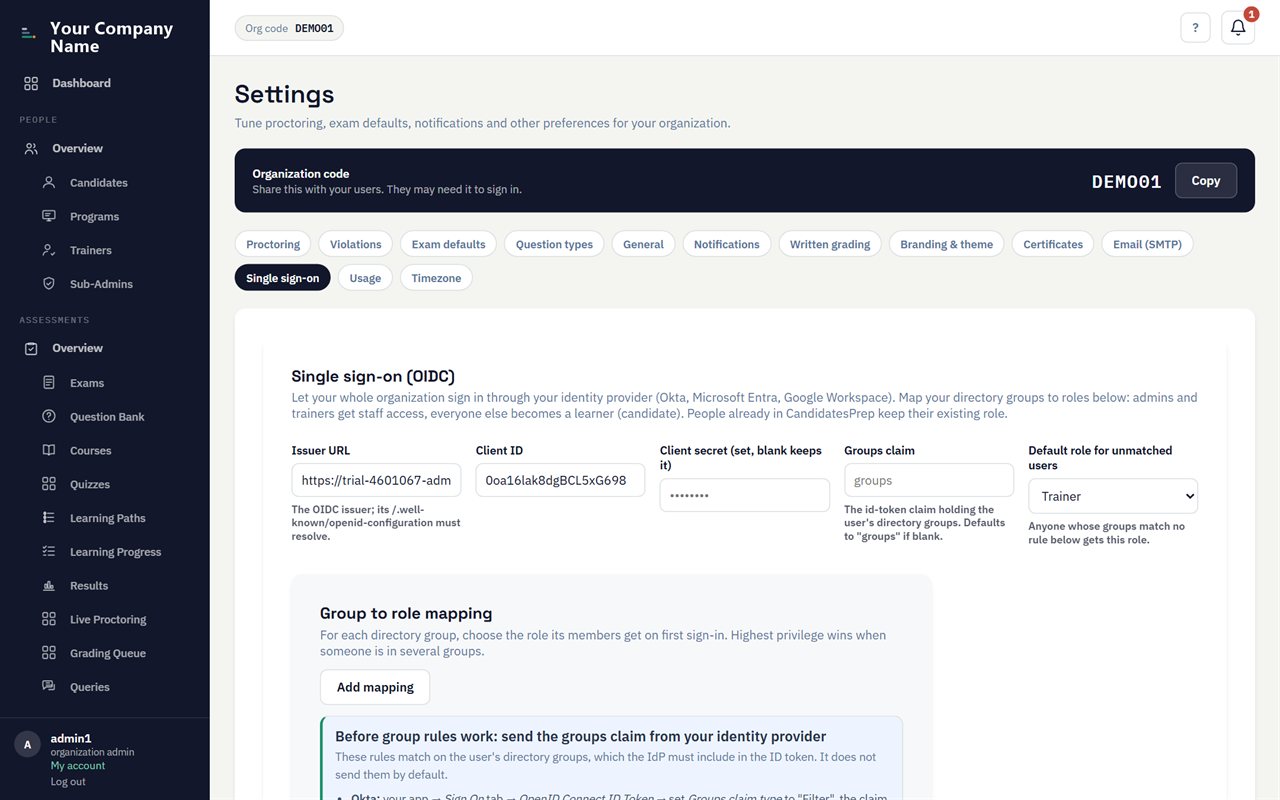
Single sign-on settings: identity provider and group-to-role mapping.
Access

Single sign-on and fine-grained roles

Let staff sign in with the accounts they already have, and give each person exactly the access their job needs, no more.

  • Company single sign-on with automatic role mapping
  • A fine-grained permission matrix for sub-admins
  • Trainers scoped to their own students only
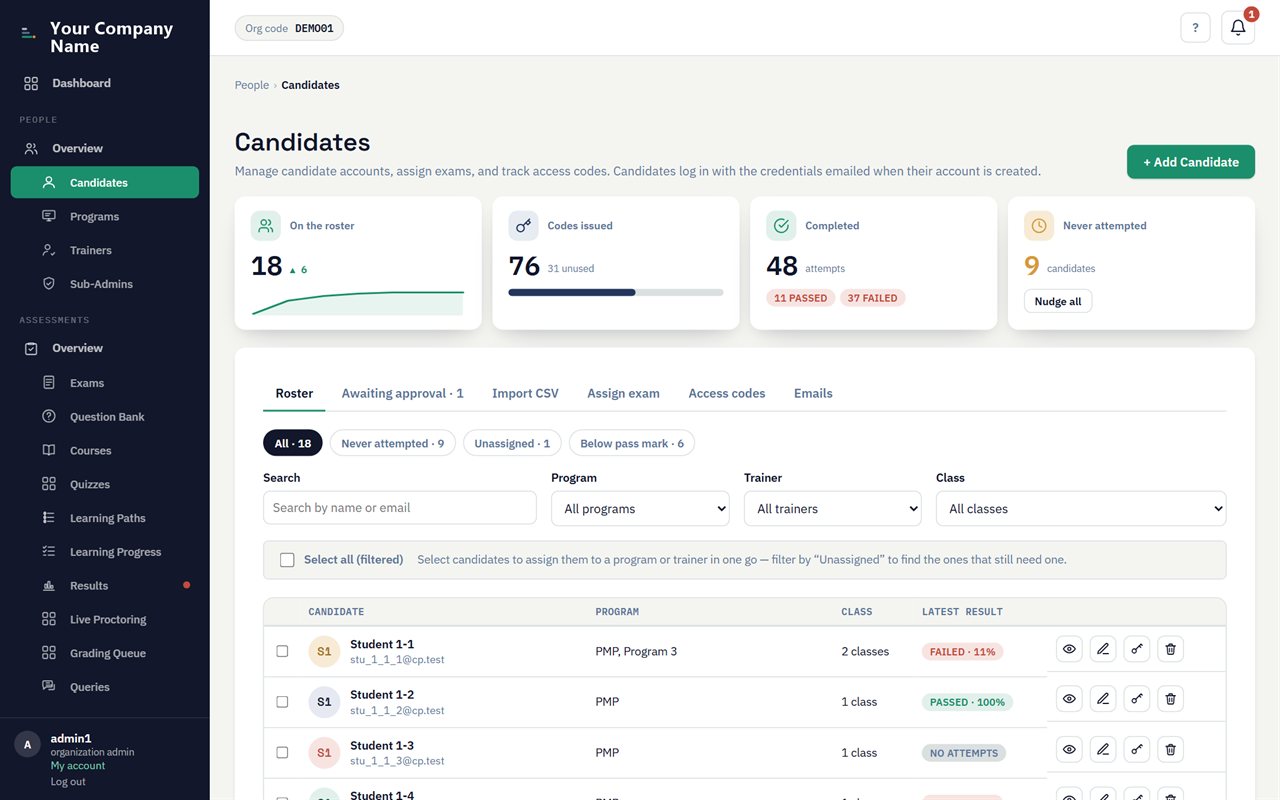
Candidate management: a roster with bulk import, programs and classes.
Manage

Manage candidates and cohorts at scale

Import a roster, group students into programs and time-boxed classes, and schedule exams for one batch or a thousand.

  • Bulk import and scheduling for whole cohorts
  • Programs and trainer-led classes with enrolment windows
  • Class-scheduled exams with prerequisites and auto-issued codes
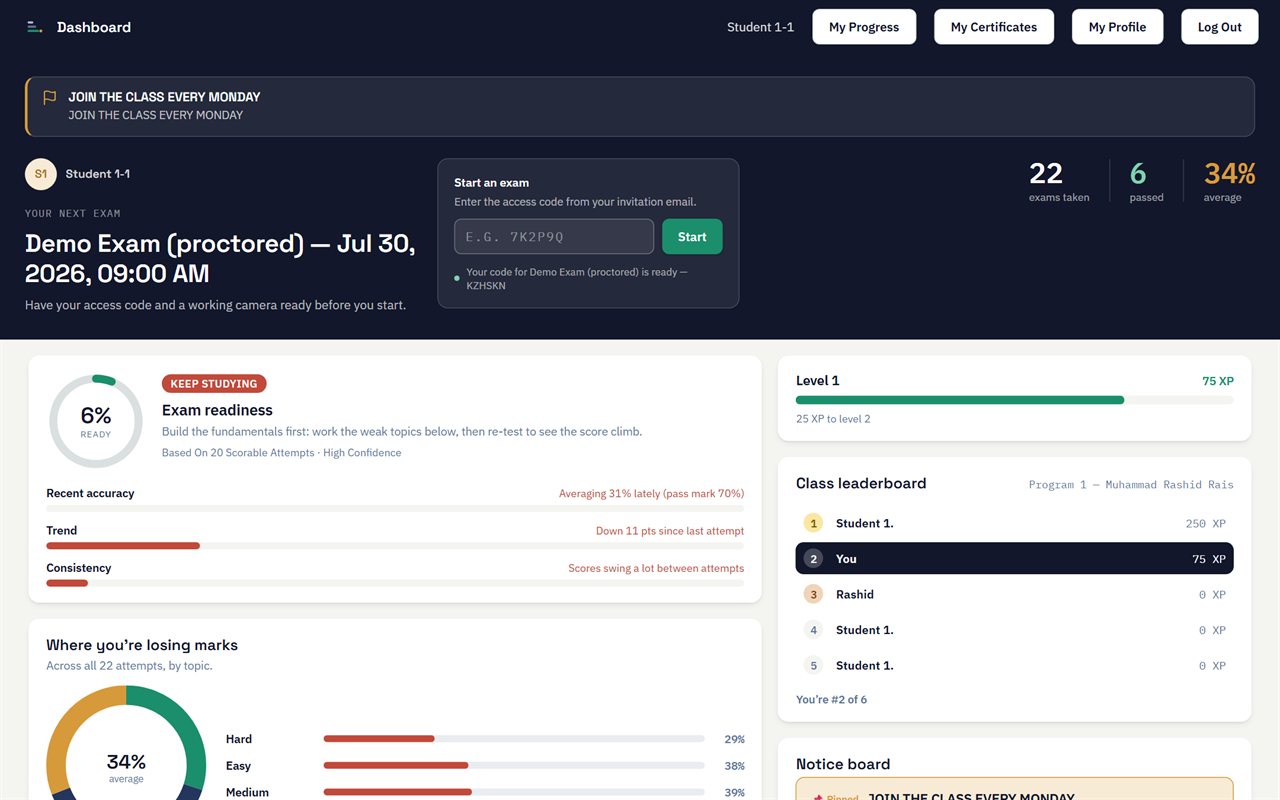
The student dashboard: courses, upcoming exams, readiness and certificates.
For candidates

A focused experience for candidates

A calm, encouraging home for the people sitting your exams: their courses, upcoming sittings, readiness and results, all in your brand.

  • A clear dashboard of courses, exams and progress
  • Practice, readiness scoring and study tools
  • Their certificates, ready to share

And a lot more under the hood

The parts that do not need a screenshot to matter, from identity checks to keeping your data on your own storage.

Identity verification

Match a candidate's live webcam against their profile photo and government ID before the timer starts, so the right person is in the seat.

Quizzes & live games

Auto-graded quizzes for practice, plus a live, game-show style classroom quiz joined by QR code, with a real-time leaderboard and team play.

Practice & offline study

Targeted practice on missed questions and weak topics, an offline practice pack, and a readiness score that tells candidates where to focus.

Notices & notifications

In-app notifications and an audience-targeted notice board keep candidates and staff informed without leaving the platform.

Billing & invoicing

Transparent plans by student count, automatic billing cycles, and itemized invoices, with a clear warning on screen before anything locks.

Your data, your storage

Personal data and questions are encrypted, and your exam recordings and course videos live in your own cloud storage bucket, not ours.

Open API & standards

A read API with keys, outbound webhooks, and standards-based integration (LTI and SCORM), so results and certificates flow into your other systems.

Accessibility & offline

Keyboard navigation, screen-reader support, and cues that never rely on colour alone, on an installable app that even works offline for practice.

Retention & privacy controls

Automatic archiving and deletion on a schedule you control, with a safe preview before anything is removed and virus-scanned uploads.

Feature questions

The questions trainers most often ask about how the platform works.

Is CandidatesPrep one platform or several separate tools?

One platform. Authoring, courses, proctored and practice exams, identity checks, grading, certificates, and reporting all run under a single login, so there is no separate proctoring vendor or delivery tool to integrate.

Do candidates need to install anything to sit a proctored exam?

No. Exams run in a standard web browser on the candidate's own device, with no desktop client or separate lockdown browser to install.

How does identity verification work?

Before a proctored exam starts, the candidate's live webcam is matched against their profile photo, and a proctor confirms their government ID. The exam cannot begin until identity is cleared.

Does it integrate with our other systems?

Yes. It offers single sign-on, a read API with keys, outbound webhooks, and standards-based integration through LTI and SCORM, so results and certificates can flow into your existing tools.

Where are exam recordings and course videos stored?

They can live in your own S3-compatible cloud storage bucket, such as Cloudflare R2, AWS S3, or MinIO, so you own the media rather than it sitting on our servers.

What question types does the question bank support?

Multiple choice and multi-select, true or false, numeric, fill-in-the-blank, matching, ordering, hotspot, short and long-form written answers, and multi-part case studies, all tagged and reusable across exams.
See it running on your own exams.

Walk through the platform with us, and build a question bank, launch a sitting, and issue a certificate in one session.

Request a demo